

What Is Web Hosting and How Does It Work? (2026 Beginner’s Guide)
August 1, 2026 | by anisurrahaman235f@gmail.com
Every website you have ever visited — a news site, an online store, a friend’s blog — lives somewhere. Not in a vague, abstract “cloud,” but on an actual physical computer that is running around the clock, waiting to hand your browser the files it asks for. That computer, and the service built around it, is what people mean when they say “web hosting.” This guide explains what web hosting really is, how it technically works behind the scenes, and how the technology has evolved heading into 2026.
The Simplest Way to Understand Web Hosting
Think of web hosting the way you would think of renting storage space, except instead of storing furniture, you are storing website files — HTML pages, images, videos, databases, and code. A hosting company owns or rents powerful computers called servers, which stay connected to the internet 24 hours a day, 7 days a week. When you sign up for a hosting plan, you are essentially renting a portion of that server’s storage and processing power to keep your website’s files ready to be delivered to anyone who visits your site.
Without hosting, your website would only exist on your personal laptop, accessible only when your laptop is turned on and connected to a specific network — which defeats the entire purpose of having a website in the first place.

Domain Name vs. Web Hosting: A Common Point of Confusion
Beginners frequently mix up a domain name and web hosting, but they are two separate services that work together. A domain name (like example.com) is simply the human-readable address people type into a browser to find your site — similar to a street address. Web hosting, on the other hand, is the actual physical space where your website’s files are stored — similar to the building that sits at that address. You need both: a domain name to be found, and hosting to actually have something for people to find.
How Web Hosting Actually Works, Step by Step
Understanding what happens in the few milliseconds after someone visits your website makes the whole concept much clearer. Here is the general sequence:
- A visitor types your domain name into their browser or clicks a link to your site.
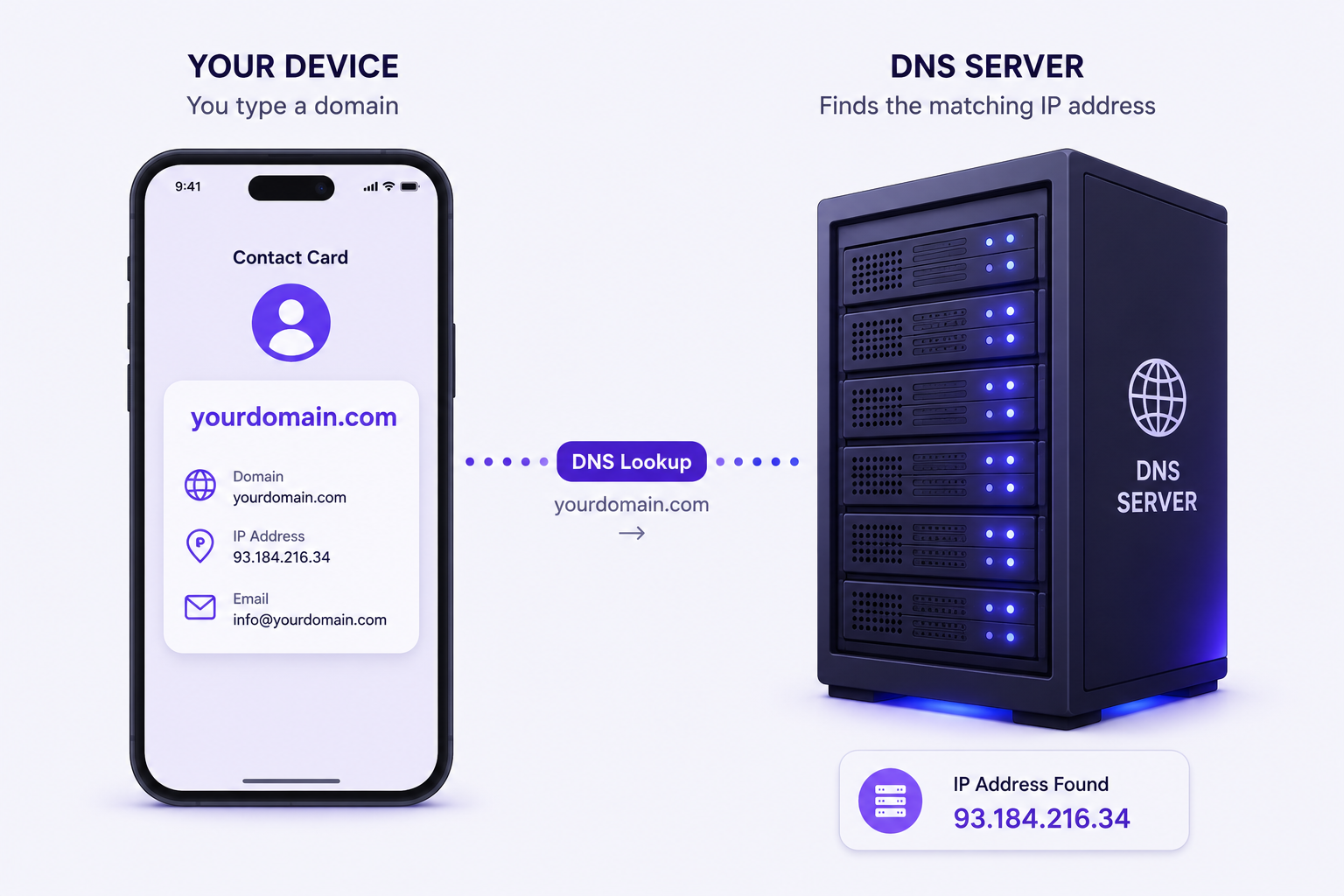
- A DNS (Domain Name System) lookup happens. DNS acts like the internet’s phonebook, translating your human-readable domain name into the numerical IP address of the server where your website actually lives.
- The browser sends a request to that server, asking for the specific page the visitor wants to see.
- The server processes the request. If your site uses a content management system like WordPress, the server may need to pull information from a database before assembling the final page.
- The server sends the files back — HTML, CSS, JavaScript, images — to the visitor’s browser.
- The browser renders the page, and the visitor sees your website, usually within a fraction of a second if the hosting is well configured.
This entire round trip typically happens in well under a second, but the speed of each step depends heavily on the quality of the hosting infrastructure behind it — which is exactly why not all hosting plans perform the same way even if they claim to do the same job.
The Main Types of Web Hosting
Not every website has the same needs, which is why hosting companies offer several distinct types of service. Here are the most common ones you will encounter:
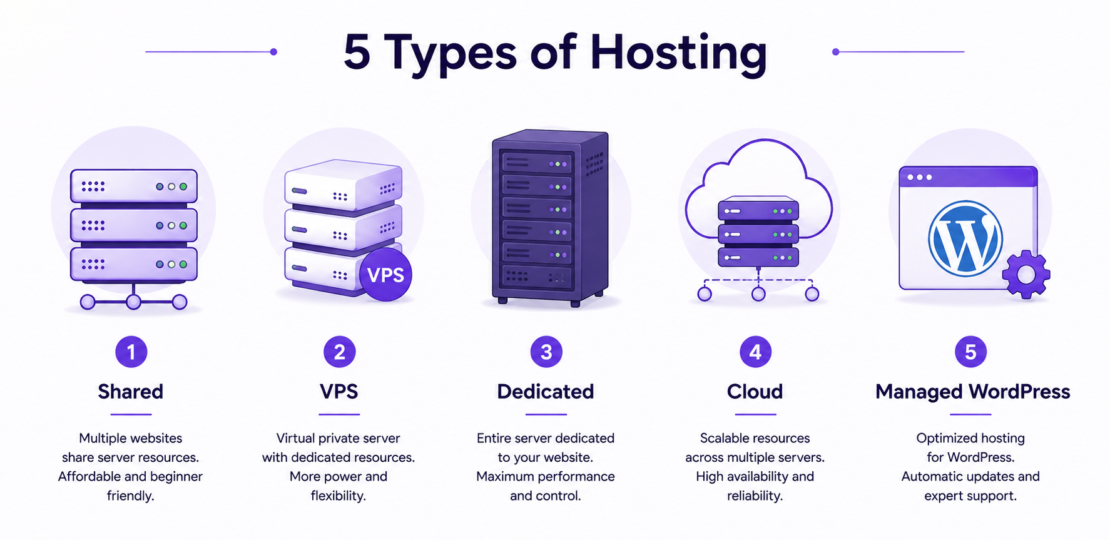
- Shared Hosting – Multiple websites live on the same physical server and share its CPU, memory, and storage resources. This is the cheapest and most common starting point for beginners, though performance can dip if another site on the same server experiences a sudden traffic spike.
- VPS (Virtual Private Server) Hosting – A single physical server is divided into several isolated virtual servers using virtualization software. Each user gets a guaranteed share of resources and much more control, without the cost of a fully dedicated machine.
- Dedicated Hosting – An entire physical server is reserved exclusively for one website or client. This offers maximum performance and control but requires more technical expertise and a significantly higher budget.
- Cloud Hosting – Instead of relying on a single server, your website’s resources are spread across a connected network of servers. If one server has an issue, traffic is automatically redirected to another, which improves both uptime and scalability during traffic surges.
- Managed WordPress Hosting – A specialized hosting environment fine-tuned specifically for WordPress websites, often including automatic updates, built-in caching, and WordPress-specific security monitoring.
What’s Actually Inside a Modern Server in 2026
Web hosting infrastructure has changed considerably over the past few years, and the hardware sitting inside data centers today looks quite different from what it did even five years ago. A few developments are now considered standard rather than premium extras:
- NVMe SSD storage has become the baseline expectation for managed hosting and premium cloud platforms, replacing older SATA-based SSDs and traditional spinning hard drives. NVMe drives communicate directly with a server’s processor over a much faster pathway, which noticeably speeds up database queries and file loading times.
- Advanced caching layers, including object caching (Redis or Memcached), full-page caching at the server level, and PHP OPcache, work together to reduce how often a server needs to regenerate a page from scratch for repeat visitors.
- Containerization allows hosting providers to package a website’s environment so it behaves consistently regardless of the underlying server hardware, which improves both scalability and reliability.
Where Web Hosting Is Heading: Key 2026 Trends
The hosting industry in 2026 looks noticeably more automated and distributed than it did even two or three years ago. A few trends are worth understanding, especially if you plan to keep a website running for the long term:
AI-powered infrastructure management. Most major hosting providers now use artificial intelligence somewhere in their stack — for predicting traffic spikes before they happen, automatically scaling server resources up or down, detecting unusual security activity, and increasingly, for handling customer support conversations before a human agent gets involved.
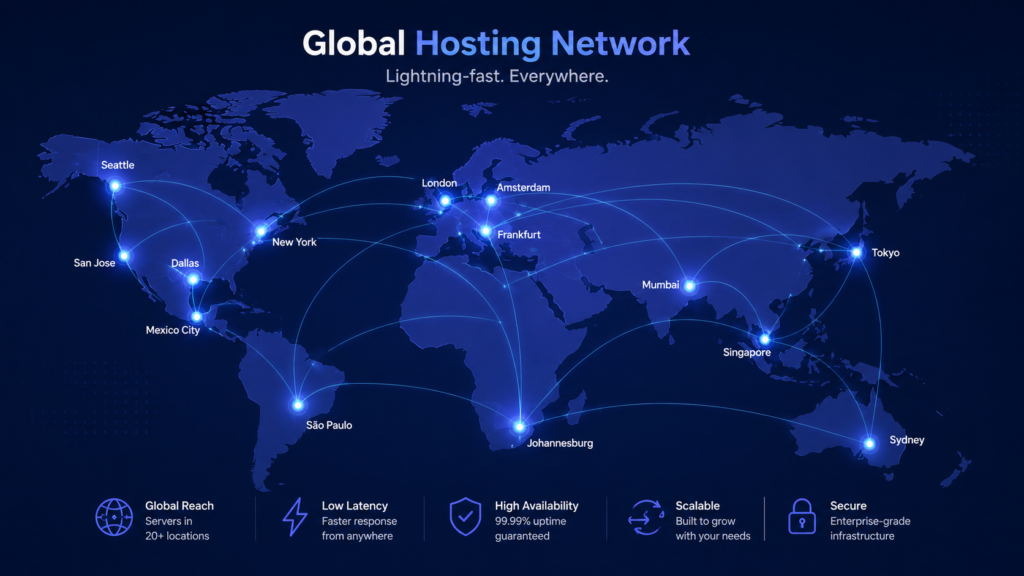
Edge computing. Rather than storing every visitor request’s data at one central server location, edge computing distributes cached content across many smaller server nodes positioned physically closer to end users around the world. This reduces the physical distance data has to travel, which lowers loading times, especially for visitors located far from a website’s main server location.
Green and sustainable hosting. With data centers consuming enormous amounts of electricity, environmental impact has become a genuine differentiator between hosting companies. Providers are increasingly investing in renewable energy purchases, more efficient cooling systems, and workload consolidation techniques that improve how much use they get out of each physical server, which reduces the total number of machines needed to serve the same number of customers.
Stronger, automated security. As cyber threats grow more sophisticated, hosting providers are shifting toward “zero trust” security models, automated malware scanning, and AI-based threat detection that can flag suspicious activity in real time rather than relying purely on manual review.
How to Choose the Right Type of Hosting
With so many options available, a few practical questions can help narrow things down:
- How much traffic do you actually expect? A small personal blog rarely needs more than shared hosting, while an online store expecting seasonal traffic spikes benefits from cloud hosting’s scalability.
- How technical are you comfortable being? Shared hosting and managed WordPress hosting require the least technical knowledge, while VPS and dedicated hosting assume you are comfortable managing server-level settings yourself.
- What is your uptime tolerance? Look for a provider offering at least a 99.9% uptime guarantee, since even small amounts of downtime can affect both user experience and search engine rankings.
- Does the provider offer real security measures? At minimum, look for free SSL certificates, regular backups, and some form of malware scanning included in the plan.
- What does support actually look like? Confirm whether support is available 24/7, and through which channels — live chat, email, or phone — since the fastest infrastructure in the world does not help much if you cannot get help when something breaks.
Frequently Asked Questions
Do I need web hosting if I already have a domain name?
Yes. A domain name only reserves your website’s address; it does not store any of your website’s actual files. You need both a domain and a hosting plan for a functioning website.
Can I host a website for free?
Some limited free hosting tiers exist, including options from major cloud providers for static websites, but most come with significant limitations on storage, bandwidth, or custom domain support, making paid hosting the practical choice for most real websites.
Is cloud hosting the same as shared hosting?
No. Shared hosting relies on a single physical server, while cloud hosting spreads your website across a network of interconnected servers, which generally improves reliability and makes it easier to handle sudden traffic increases.
How much does basic web hosting typically cost?
Entry-level shared hosting plans are often available for just a few dollars per month on longer billing terms, while VPS, dedicated, and cloud hosting plans scale up significantly based on the resources and control they provide.
Final Thoughts
Web hosting is one of those pieces of internet infrastructure that most people never think about until something goes wrong — a slow-loading page, an unexpected outage, or a security warning. Understanding what is actually happening behind the scenes, from DNS lookups to NVMe storage to edge computing, makes it much easier to choose a hosting plan that actually fits your website’s needs rather than just picking whichever option happens to be cheapest. As hosting technology continues shifting toward automation, distributed infrastructure, and sustainability through 2026 and beyond, that background knowledge only becomes more useful.
RELATED POSTS
View all

Domain Name vs Web Hosting: What’s the Difference? (2026 Guide)
August 1, 2026 | by anisurrahaman235f@gmail.com
How to Choose the Best Web Hosting for Your Website (2026 Guide)
August 1, 2026 | by anisurrahaman235f@gmail.com
Beginner’s Guide to Hostinger hPanel (2026 Edition)
August 2, 2026 | by anisurrahaman235f@gmail.com