

What Is an SSL Certificate and Why Does Your Website Need One?
August 2, 2026 | by anisurrahaman235f@gmail.com
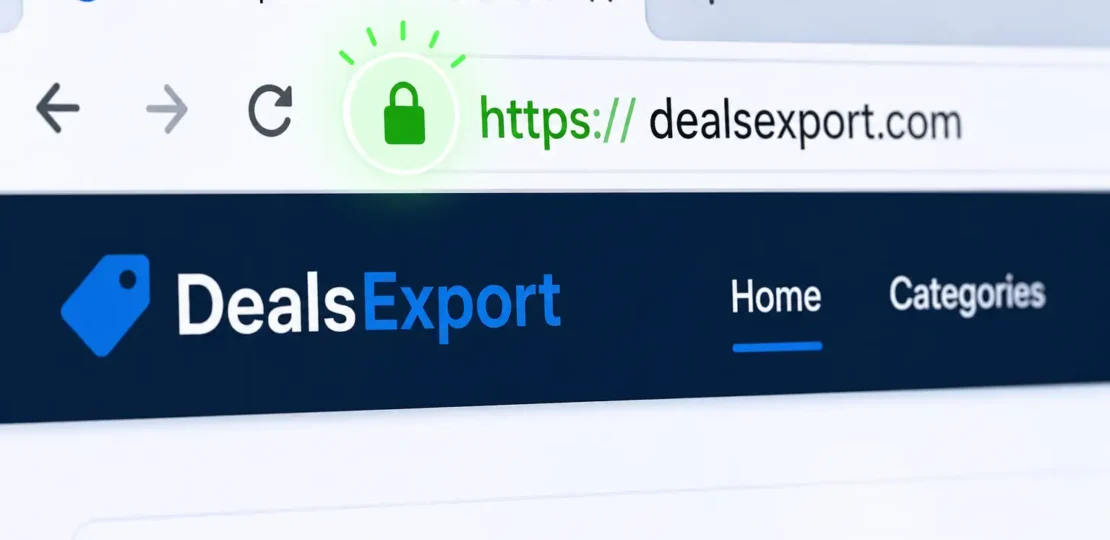
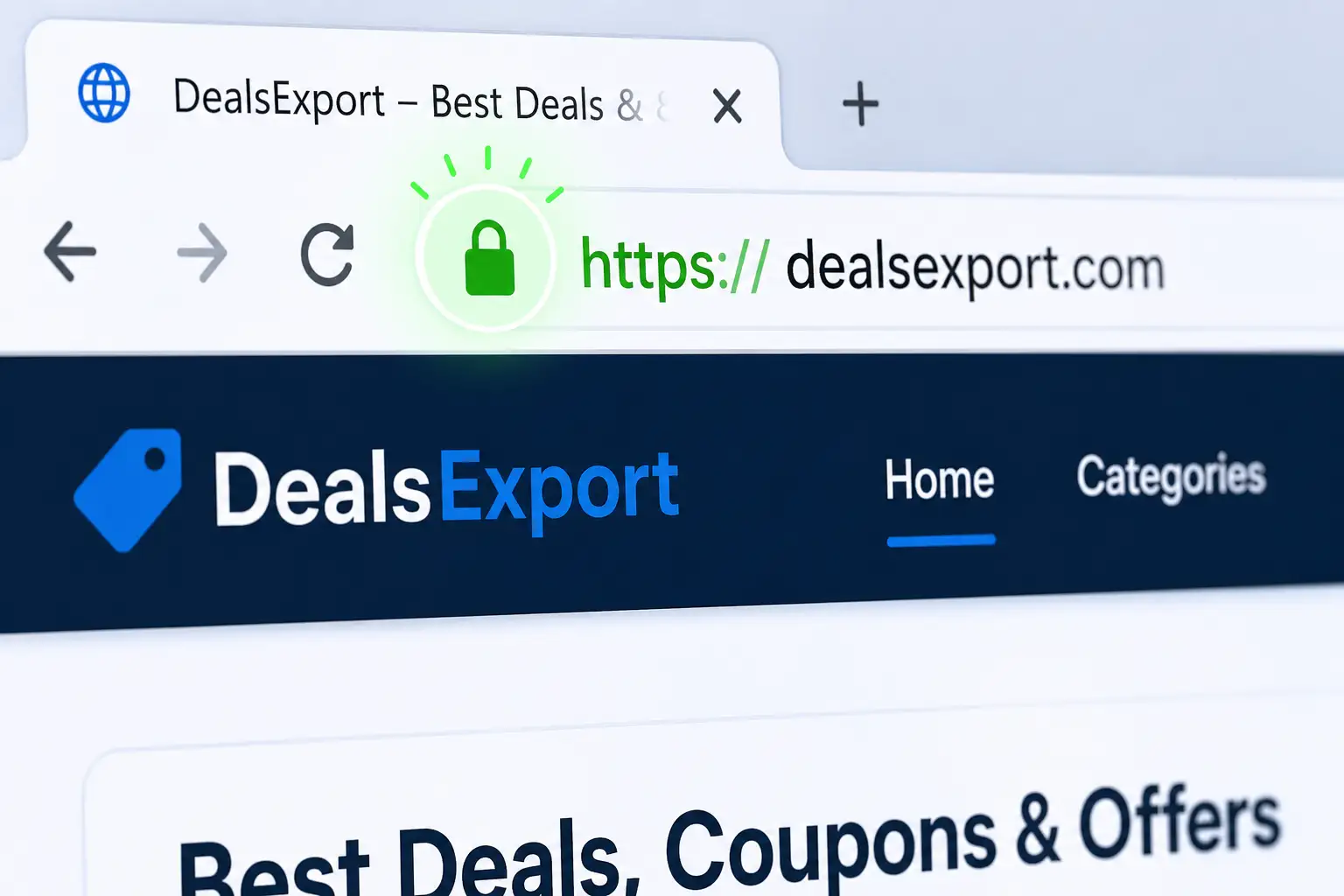
You’ve almost certainly noticed the small padlock icon sitting next to a website’s address in your browser bar. Most people click past it without a second thought, but that tiny icon represents one of the most important pieces of infrastructure holding the modern web together. It tells you the connection between your browser and that website is encrypted — and its absence, increasingly, tells you something is wrong.
If you own a website, understanding SSL certificates isn’t optional background knowledge anymore. It affects your search rankings, your visitors’ trust, your data security, and — as of a major industry change that took effect in March 2026 — how often you’ll need to think about renewing it. This guide breaks down what an SSL certificate actually does, why every website needs one regardless of size, and what’s changing in how certificates work this year.
What an SSL Certificate Actually Does
SSL (Secure Sockets Layer), and its modern successor TLS (Transport Layer Security), is a security protocol that encrypts the connection between a visitor’s browser and the server hosting a website. Even though the older acronym “SSL” is still what everyone uses in casual conversation, virtually all secure connections today actually run on TLS — the terms have become interchangeable in common usage even though the underlying technology moved on years ago.
Here’s the practical effect: without SSL/TLS, any data traveling between your browser and a website — passwords, credit card numbers, form submissions, even the pages you’re simply reading — travels in plain text. Anyone positioned between you and that server (on public Wi-Fi, for example, or through a compromised network) can potentially intercept and read it. An SSL certificate scrambles that data into unreadable ciphertext during transit, so even if it’s intercepted, it’s useless without the encryption key.
An SSL certificate also serves a second function beyond encryption: identity verification. The certificate is issued by a trusted Certificate Authority (CA) — organizations like DigiCert, Sectigo, or Let’s Encrypt — which confirms that the website is actually who it claims to be before issuing the certificate. This is what prevents a malicious site from simply copying a bank’s design and pretending to be that bank.
How the Encryption Actually Works (In Plain Terms)
You don’t need to understand cryptography to run a website safely, but a basic mental model helps explain why this matters. When your browser connects to a site with SSL/TLS enabled, the two sides perform what’s called a TLS handshake: your browser and the server agree on an encryption method, the server proves its identity using its certificate, and both sides generate a shared encryption key used only for that session. From that point forward, all data flowing in either direction is scrambled using that key, and only the two parties in the conversation can unscramble it.
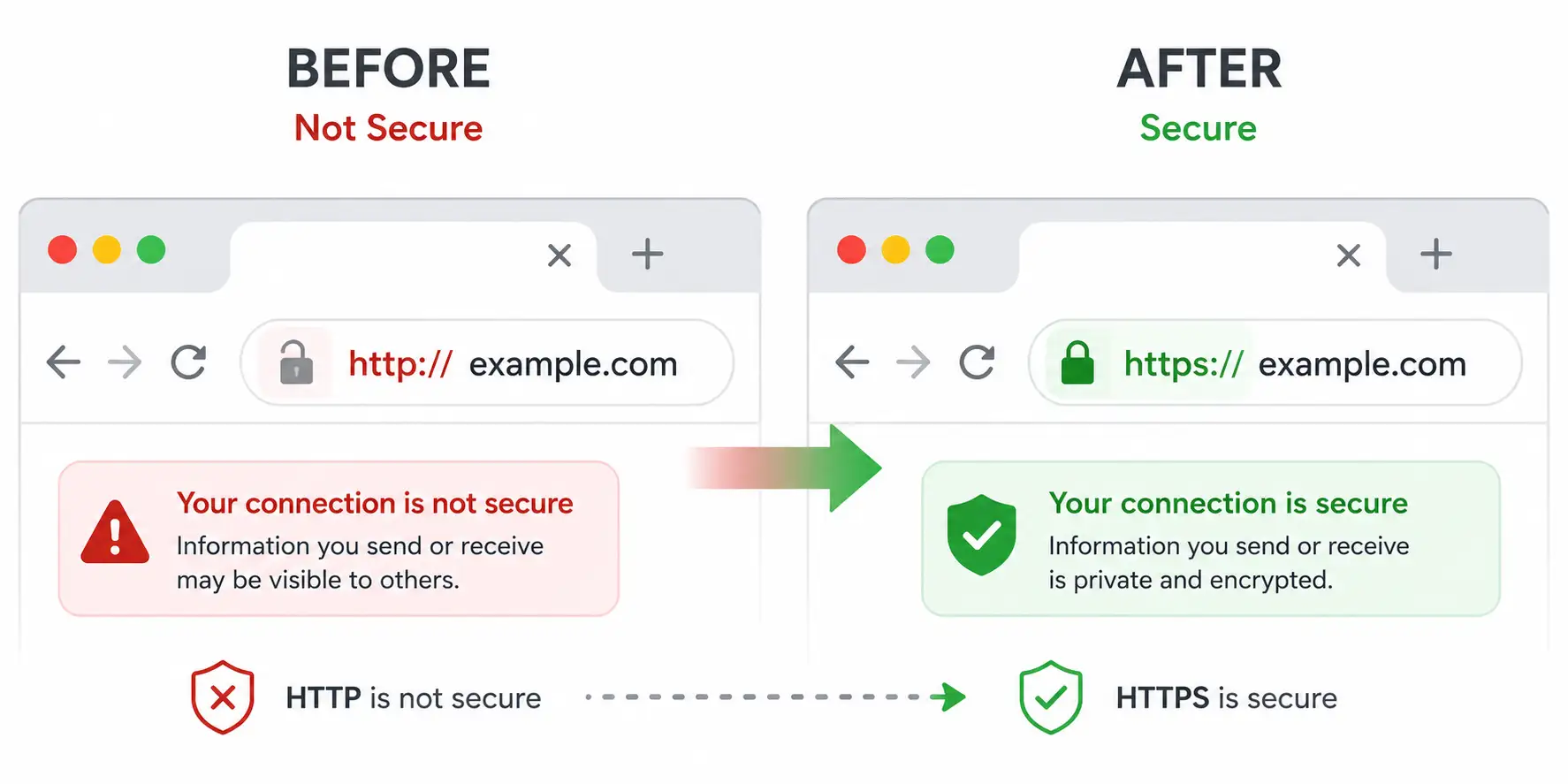
This entire process happens in a fraction of a second and is completely invisible to the average visitor — the only visible result is that padlock icon and the “https://” prefix instead of the older, insecure “http://”.
The Three Main Types of SSL Certificates
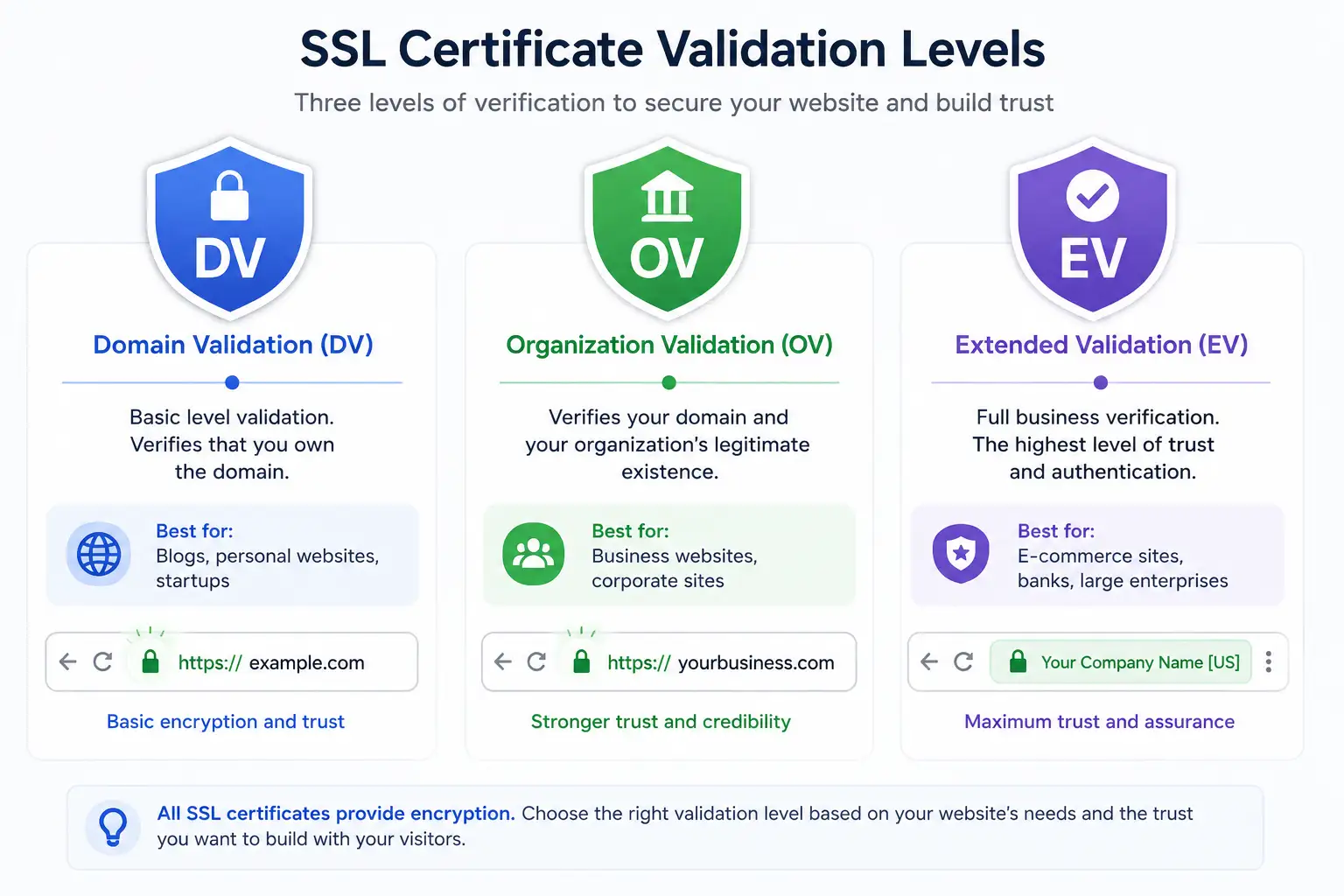
Not every SSL certificate verifies the same level of information, and understanding the difference helps you choose the right one for your site.
Domain Validated (DV) certificates confirm only that you control the domain in question. They’re issued quickly, often within minutes, and are free through services like Let’s Encrypt. This is what the vast majority of blogs, small business sites, and personal projects use, and it’s genuinely sufficient for most purposes.
Organization Validated (OV) certificates go further, requiring the Certificate Authority to verify the actual business or organization behind the domain — checking business registration details before issuing the certificate. These are more common for established businesses that want an extra layer of verified legitimacy.
Extended Validation (EV) certificates require the most rigorous vetting process, including manual verification steps like phone calls to confirm the organization’s identity. These were historically associated with the green address bar some older browsers displayed, though most modern browsers have since removed that visual distinction, reducing EV’s practical marketing advantage even though the underlying verification remains more thorough.
Why Your Website Needs SSL — Even a Small One
Some site owners assume SSL is only necessary for online stores or sites handling sensitive data. That assumption is outdated for several concrete reasons.
Search engine ranking impact. Search engines have treated HTTPS as a ranking signal for years now, and sites without it are placed at a structural disadvantage compared to otherwise identical competitors that do have it. It’s rarely the single deciding factor in rankings, but it’s one more variable working against you if you skip it.
Browser security warnings. Modern browsers actively flag unencrypted sites. Visiting an HTTP-only page today typically triggers a “Not Secure” warning directly in the address bar, and any page with a form (even something as simple as a newsletter signup) can trigger more aggressive warnings. That warning alone is often enough to make visitors leave immediately, regardless of how trustworthy your content actually is.
Visitor trust and conversion. Beyond the technical warning, a visible padlock has simply become an expected baseline. Its absence reads as neglect or amateurism even to non-technical visitors who couldn’t explain what SSL does — it’s become a subconscious trust signal the same way a professional logo or working contact page is.
Data protection obligations. If your site collects any personal information at all — contact forms, comments, account logins, payment details — encrypting that data in transit isn’t just good practice, it’s increasingly expected by privacy regulations in multiple jurisdictions, and failing to do so exposes both your visitors and your business to real risk.
Compatibility with modern web features. A growing number of browser features and APIs — including some analytics tools, service workers, and progressive web app functionality — simply refuse to function on non-HTTPS pages at all. Skipping SSL doesn’t just look outdated; it actively locks you out of parts of the modern web platform.
A Major Change Arriving in 2026: Shorter Certificate Lifespans
Here’s something most SSL explainer articles haven’t caught up to yet, and it’s directly relevant if you manage your own certificate renewal. The CA/Browser Forum — the industry body made up of certificate authorities and major browser vendors including Google, Apple, Mozilla, and Microsoft — approved a phased reduction in how long a publicly trusted SSL/TLS certificate is allowed to remain valid.
Under the previous standard, certificates could be issued for up to 398 days. As of March 15, 2026, that maximum dropped to 200 days. The schedule continues tightening from there: 100 days starting March 2027, and eventually just 47 days by March 2029.
The reasoning behind this shift is straightforward: a shorter certificate lifespan dramatically shrinks the window of exposure if a private key is ever compromised. Under the old 398-day standard, a stolen or mis-issued certificate could theoretically be exploited for over a year before it naturally expired. Under a 47-day standard, that exposure window nearly disappears.
For most everyday website owners, this change matters less than it sounds, for one important reason: automated certificate renewal has already become the industry norm, largely through free services like Let’s Encrypt combined with hosting providers that renew certificates automatically in the background. If your host already handles SSL renewal for you — which most modern hosting providers do — you likely won’t notice this transition at all. Where it matters more is for businesses managing their own certificates manually or through older, non-automated processes, since renewing every 47 days by hand simply isn’t sustainable, and the industry is actively pushing everyone toward automated certificate lifecycle management as a result.
If you’re currently managing SSL manually for any reason, this is a good moment to set up automated renewal rather than waiting until shorter cycles make manual renewal genuinely impractical.
Free vs. Paid SSL Certificates
A common misconception is that free SSL certificates are somehow lower quality or less secure than paid ones. In terms of the actual encryption strength, that’s not true — a free Domain Validated certificate from Let’s Encrypt provides the same underlying encryption as a paid certificate at the DV level. The difference lies entirely in the verification depth (DV versus OV versus EV) and in extras some paid providers bundle in, like warranty coverage or dedicated support, rather than in the strength of the encryption itself.
For the overwhelming majority of blogs, portfolios, and small business sites, a free DV certificate is genuinely sufficient. Larger businesses, financial institutions, and sites handling significant sensitive data may still find value in OV or EV certificates for the additional verified trust signal, even if the visual browser indicators have become less prominent than they once were.
How to Get SSL Set Up on Your Site
Getting a certificate installed no longer requires technical expertise for the vast majority of website owners. Most modern hosting providers offer free SSL certificates included with every plan, typically activated through a single toggle or button in the hosting control panel, with automatic renewal already configured. If your current host still charges extra for basic SSL or requires manual renewal, that’s increasingly a sign of outdated infrastructure worth reconsidering.
Final Thoughts
SSL certificates have gone from an optional add-on to a baseline requirement for any website that wants to be taken seriously — by visitors, by browsers, and by search engines alike. The technology is invisible when it’s working correctly, which is exactly the point: encryption should be something visitors never have to think about. With certificate lifespans now shrinking industry-wide starting in 2026, the practical takeaway for most site owners is simple — make sure your SSL renewal is automated, confirm your host is handling it correctly, and treat that small padlock icon as the non-negotiable baseline it’s become rather than an optional extra.
RELATED POSTS
View all


Rice Cultivation Area, Production, and Yield in West Bengal Over the Past Years
April 27, 2026 | by anisurrahaman235f@gmail.com


Zero Tillage or No-Till Method of Wheat Cultivation
May 8, 2026 | by anisurrahaman235f@gmail.com