

Hostinger vs Bluehost: Complete Hosting Comparison (2026)
August 1, 2026 | by anisurrahaman235f@gmail.com

If you’ve narrowed your hosting search down to two names, there’s a good chance they’re Hostinger and Bluehost. Both show up constantly in “best hosting” lists, both target beginners with low introductory prices, and both are officially recommended by WordPress.org — which only makes the decision more confusing, not less.
The two companies aren’t actually chasing the same customer, though. One built its reputation on raw performance numbers and aggressive pricing; the other built its reputation on hand-holding beginners through their very first website with U.S.-based phone support. This comparison digs into pricing, real-world speed data, features, and support quality from independent 2026 testing to help you figure out which philosophy actually fits your project.
Quick Verdict
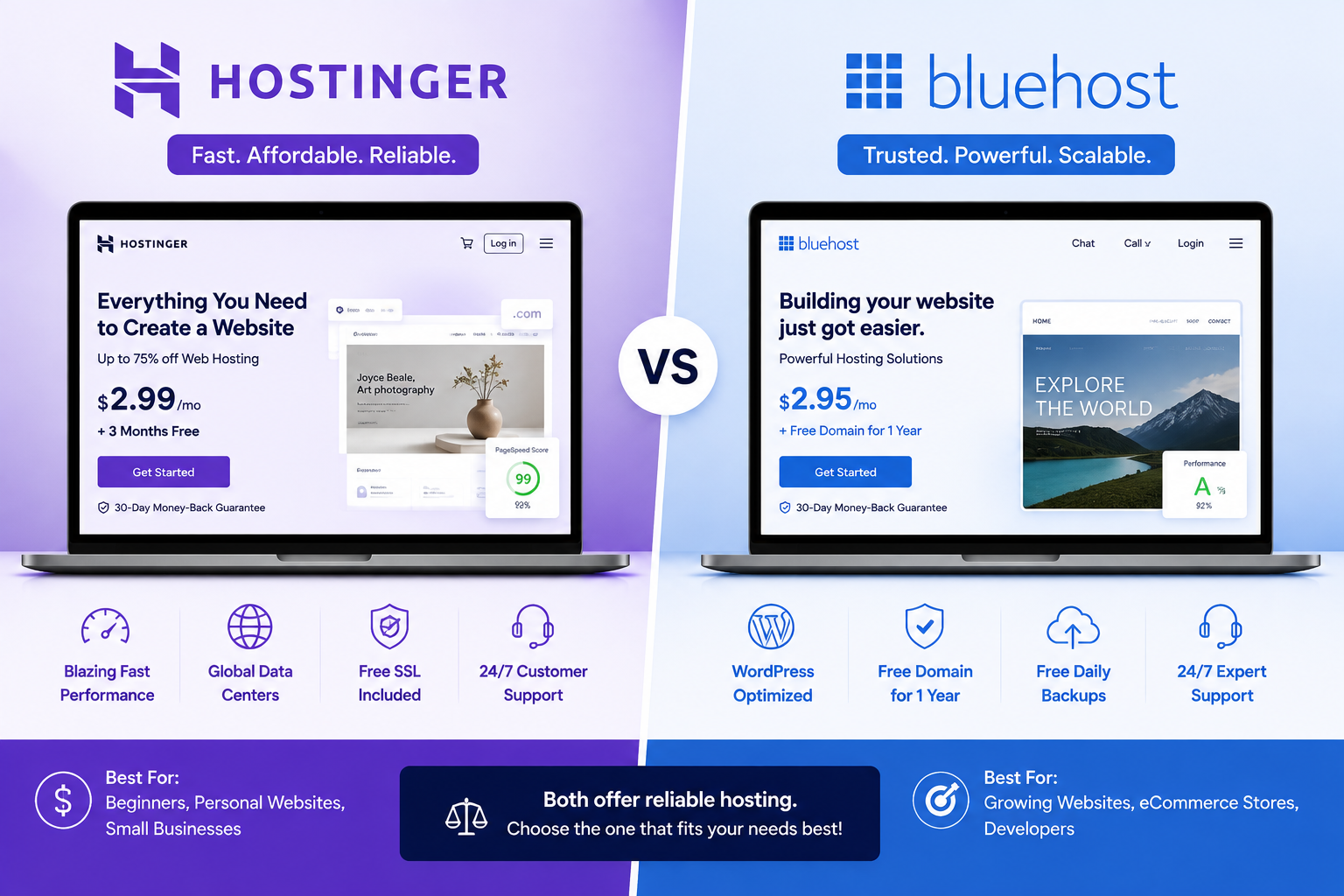
Hostinger generally wins on price, raw speed, and included features — its plans bundle a modern web server stack, a free CDN on mid-tier plans, and security tools that Bluehost sometimes charges extra for. Bluehost generally wins on U.S.-based phone support, a gentler onboarding experience, and long-standing WordPress.org trust, having held an official WordPress.org recommendation since 2005. If you want the fastest, most cost-efficient option and don’t mind a chat-only support model, Hostinger is the stronger pick. If you’re a first-time site owner who wants someone to talk to on the phone, Bluehost still has an edge.
Company Background
Hostinger is a Lithuania-based hosting company that has expanded rapidly over the past several years, now operating data centers across multiple continents and investing heavily in performance infrastructure and AI-powered tools. Bluehost, owned by Newfold Digital, is one of the older names in budget hosting and has spent years building a specific identity around WordPress — it remains one of only a small handful of hosts still listed on WordPress.org’s official recommendations page.
That difference in focus shows up everywhere in this comparison: Hostinger optimizes aggressively for speed-per-dollar, while Bluehost optimizes for a smooth, guided first experience.
Pricing Comparison
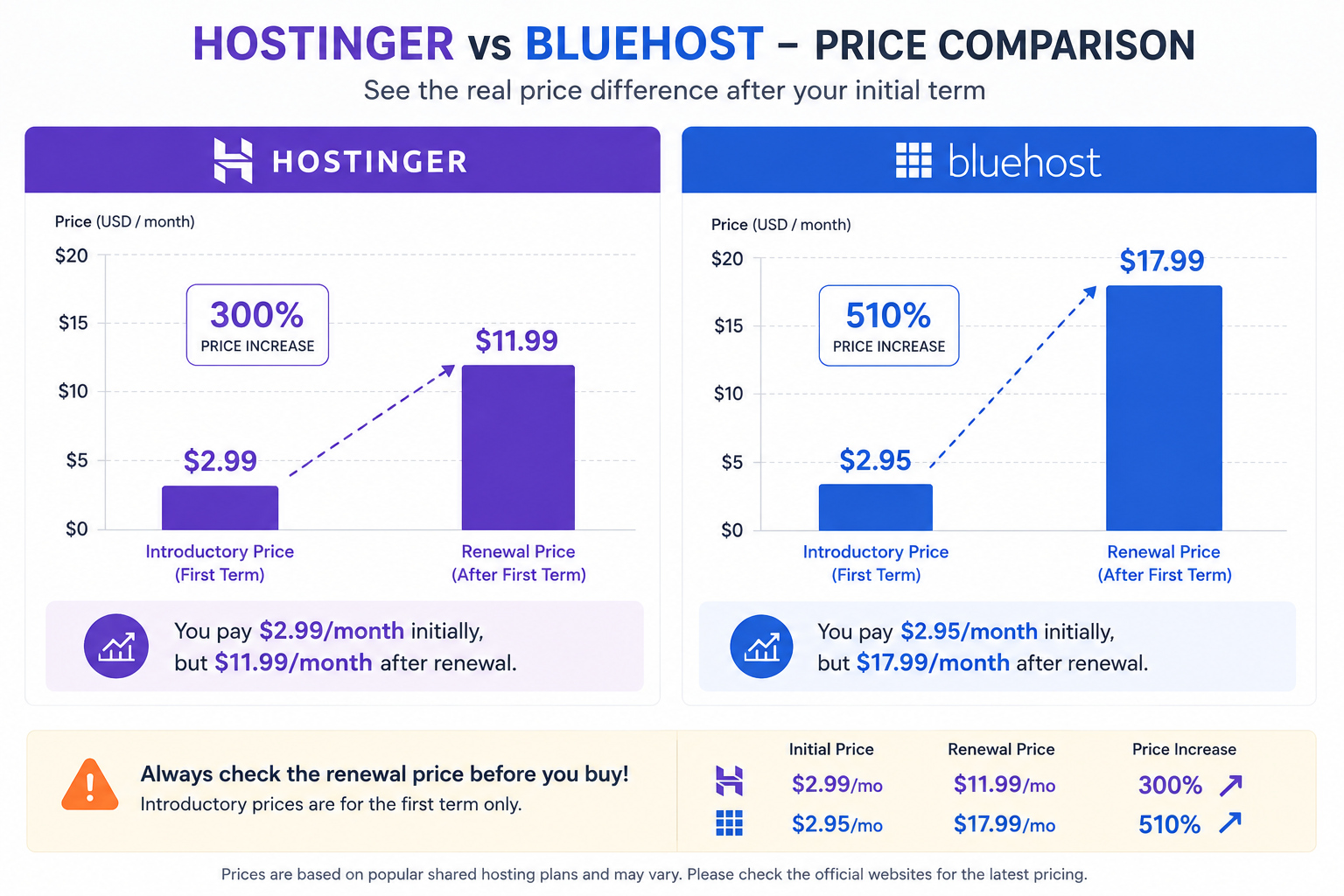
Both companies use the same industry playbook — a low advertised “starting price” tied to a long prepaid term, followed by a significantly higher renewal rate. The details of that jump differ meaningfully between the two.
Hostinger’s entry-level Premium plan generally starts around $2–3/month on 24- to 48-month terms, renewing in the $9–12/month range afterward. Its Business tier, which adds a bundled CDN and daily backups, typically starts around $3–5/month long-term and renews higher, while Cloud Startup plans begin closer to $8/month.
Bluehost’s Basic shared plan follows a similar pattern, with long-term introductory pricing generally starting near $3–4/month and renewal pricing climbing considerably — independent trackers have reported renewal increases of roughly 150% on the entry-level Starter plan specifically. Bluehost’s pricing also spans a much wider range overall once you factor in its cloud hosting tier, which can run from roughly $75 to $250 per month depending on the plan.
The practical takeaway: neither host’s advertised homepage price reflects what you’ll actually pay after year one. Always check the renewal rate on the specific plan page before comparing “starting from” numbers between the two.
Performance and Speed: What the Data Actually Shows
This is where the two hosts diverge the most clearly, and it isn’t close.
Independent testing labs that monitor hosting providers continuously — rather than running a single benchmark — have measured Hostinger’s Time to First Byte (TTFB) at roughly 180–300 milliseconds on cache-enabled plans, with fully loaded WordPress page times frequently landing under 1 to 1.5 seconds. Hostinger runs on LiteSpeed Enterprise, a server architecture built specifically for speed, on every plan tier by default.
Bluehost, by contrast, still runs on more traditional infrastructure for its shared plans, without LiteSpeed or Redis object caching included by default as of mid-2026. Independent tests have measured Bluehost’s average server response around 0.58 seconds, noticeably slower than Hostinger’s roughly 0.33-second figure in the same comparison set. Because Bluehost’s infrastructure is concentrated primarily in U.S. data centers, international visitors tend to see a bigger performance gap than U.S.-based visitors do.
To be fair to Bluehost, the company has been migrating parts of its infrastructure to Oracle Cloud through 2025 and 2026, and testers have noted real improvements in caching performance as a result. It isn’t a slow host — it’s simply not competing at the front of the pack the way Hostinger consistently does.
On uptime, the two are much closer. Bluehost has generally measured between 99.95% and 99.99% across multiple independent monitors, and Hostinger has posted comparable or slightly better figures, with several testers recording 100% uptime across multi-month windows in 2026. One important distinction: Bluehost advertises strong uptime without offering a contractual SLA with compensation if it’s breached, whereas Hostinger’s guarantee is treated similarly across most review sources — worth double-checking directly on each provider’s terms page if guaranteed compensation matters to you.
Features Comparison
| Feature | Hostinger | Bluehost |
|---|---|---|
| Web server | LiteSpeed Enterprise (all plans) | Standard stack, no LiteSpeed by default |
| Control panel | Custom hPanel | Custom Bluehost panel (cPanel available on higher tiers) |
| Free CDN | Included from Business plan up | Included, varies by plan |
| Free SSL | Yes, all plans | Yes, all plans |
| Daily backups | Included on Business/Cloud tiers | Included only on Choice Plus and Pro plans |
| Object caching | Redis included | Not standard on shared plans |
| AI tools | AI website builder, AI troubleshooting | Limited AI tooling |
| Free domain | Yes, annual+ plans | Yes, annual+ plans |
| Data centers | Multiple continents | Primarily U.S.-based |
Ease of Use
Both companies aim squarely at beginners, and both largely succeed, just with different approaches. hPanel (Hostinger) is a clean, modern interface with real-time resource monitoring that shows CPU, RAM, and bandwidth usage as you use it, which is genuinely useful for spotting problems before they cause downtime. Bluehost’s dashboard takes a more guided, step-by-step approach to onboarding, walking new users through domain connection, WordPress installation, and basic setup with more hand-holding along the way.
If you’ve never managed a hosting account before and want the most reassuring first-time setup experience, Bluehost’s onboarding flow has a slight edge. If you’d rather have a fast, information-dense dashboard once you’re past the setup stage, hPanel is the stronger long-term tool.
Customer Support
This is Bluehost’s strongest differentiator. It offers 24/7 U.S.-based phone support in addition to live chat — a channel Hostinger doesn’t offer at all. For less technical users who want to actually talk through a problem rather than type it out, this matters more than it might seem on paper.
Hostinger relies entirely on 24/7 live chat and an extensive self-serve knowledge base. Response times are generally fast for common issues, but independent reviews consistently note that support quality becomes less predictable for more advanced technical questions or during high-demand periods, and there’s no option to simply call someone.
Neither company’s support is universally praised — both receive mixed feedback on forums and review platforms for complex issues — but Bluehost’s phone option is a genuine convenience Hostinger doesn’t match.
Security and Backups
Hostinger includes DDoS protection, malware scanning, and free SSL on every plan without upsells, and daily backups are standard from the Business tier upward. Bluehost includes free SSL across the board too, but automatic daily backups are reserved for the Choice Plus and Pro plans — Basic and Plus users need to either back up manually or pay for an add-on, which is an easy detail to miss during checkout.
Who Should Choose Hostinger?
- Anyone prioritizing raw speed and Core Web Vitals performance, especially for SEO-sensitive sites
- Budget-conscious buyers who want strong security and backup features included without extra add-on costs
- International audiences, since Hostinger’s multi-continent infrastructure reduces latency outside the U.S.
- Developers who want VPS options with full root access at competitive prices
- Users comfortable troubleshooting through live chat rather than phone support
Who Should Choose Bluehost?
- First-time website owners who want a guided setup process and the reassurance of phone support
- WordPress users who value the platform’s long-standing official WordPress.org recommendation
- U.S.-based businesses whose primary audience is also domestic, minimizing the latency disadvantage
- Buyers who plan to eventually scale into Bluehost’s broader ecosystem, including its newer cloud hosting tier
Final Verdict
Neither host is objectively “better” in every category — they’re built for slightly different priorities. Hostinger is the stronger technical choice in 2026: faster infrastructure by default, more included security and backup features, and noticeably better value once you account for what’s bundled versus what’s upsold. Bluehost’s advantage is entirely in the support and onboarding experience — the phone support channel and its long WordPress.org relationship carry real weight for someone building their first site with zero technical background.
If performance and value are your priority and you’re comfortable with chat-based support, Hostinger is the more competitive option today. If you want the safety net of a phone call when something goes wrong and don’t mind paying slightly more for that peace of mind, Bluehost remains a dependable, beginner-friendly choice. Either way, budget for the renewal price — not just the introductory offer — before you commit to a multi-year term with either provider.
RELATED POSTS
View all

Shared Hosting vs VPS Hosting: Which One Should You Choose? (2026 Guide)
August 1, 2026 | by anisurrahaman235f@gmail.com
How to Back Up Your Website on Hostinger (2026 Guide)
August 2, 2026 | by anisurrahaman235f@gmail.com
Hostinger vs SiteGround: Which Hosting Provider Is Better? (2026)
August 1, 2026 | by anisurrahaman235f@gmail.com