


Bloggers have a different relationship with hosting than most website owners. A portfolio site might get a slow trickle of visitors and rarely change. A blog, by contrast, needs to handle growing traffic over time, publish new content constantly, store a steadily expanding library of images, and — if you’re monetizing at all — actually load fast enough that visitors stick around long enough to read, click an ad, or convert. The wrong hosting choice doesn’t just mean occasional downtime; it quietly caps how far your blog can grow.
This guide isn’t a single “here’s the one best host” recommendation, because that framing rarely survives contact with reality — the right choice depends on your budget, your technical comfort, and how far along your blog already is. Instead, this breaks down what bloggers specifically should look for, and which providers genuinely fit different stages of a blogging journey based on 2026 testing data.

What Bloggers Actually Need From Hosting (That Generic Guides Skip)
Most hosting comparison articles apply the same generic criteria to every type of site. Blogging has specific demands worth calling out directly:
Fast Time to First Byte (TTFB), specifically. Blog content lives or dies on search traffic, and page speed is a documented ranking factor. A host that’s merely “fast enough” for a static business page can genuinely hold back a content-driven blog competing for search visibility.
Generous, expandable storage. Blogs accumulate images fast — hero images, inline graphics, screenshots — and running out of storage mid-growth is a frustrating, avoidable problem. Look specifically at what happens when you exceed a plan’s limit, not just the starting allocation.
A real growth path. The hosting plan that’s perfect for your first 1,000 monthly visitors is rarely the right one at 50,000. A good blogging host lets you upgrade tiers without a painful migration, ideally within the same provider’s ecosystem.
WordPress-specific optimization, if that’s your platform, since the vast majority of blogs run on it. Generic shared hosting works, but hosts that specifically optimize for WordPress — caching, staging environments, one-click installs — save real time over the life of a growing blog.
Predictable renewal pricing. Bloggers plan around a specific monthly budget, and a host that triples its price after year one quietly disrupts that planning far more than a slightly higher honest price would.
Best Overall Value for Most Bloggers: Hostinger
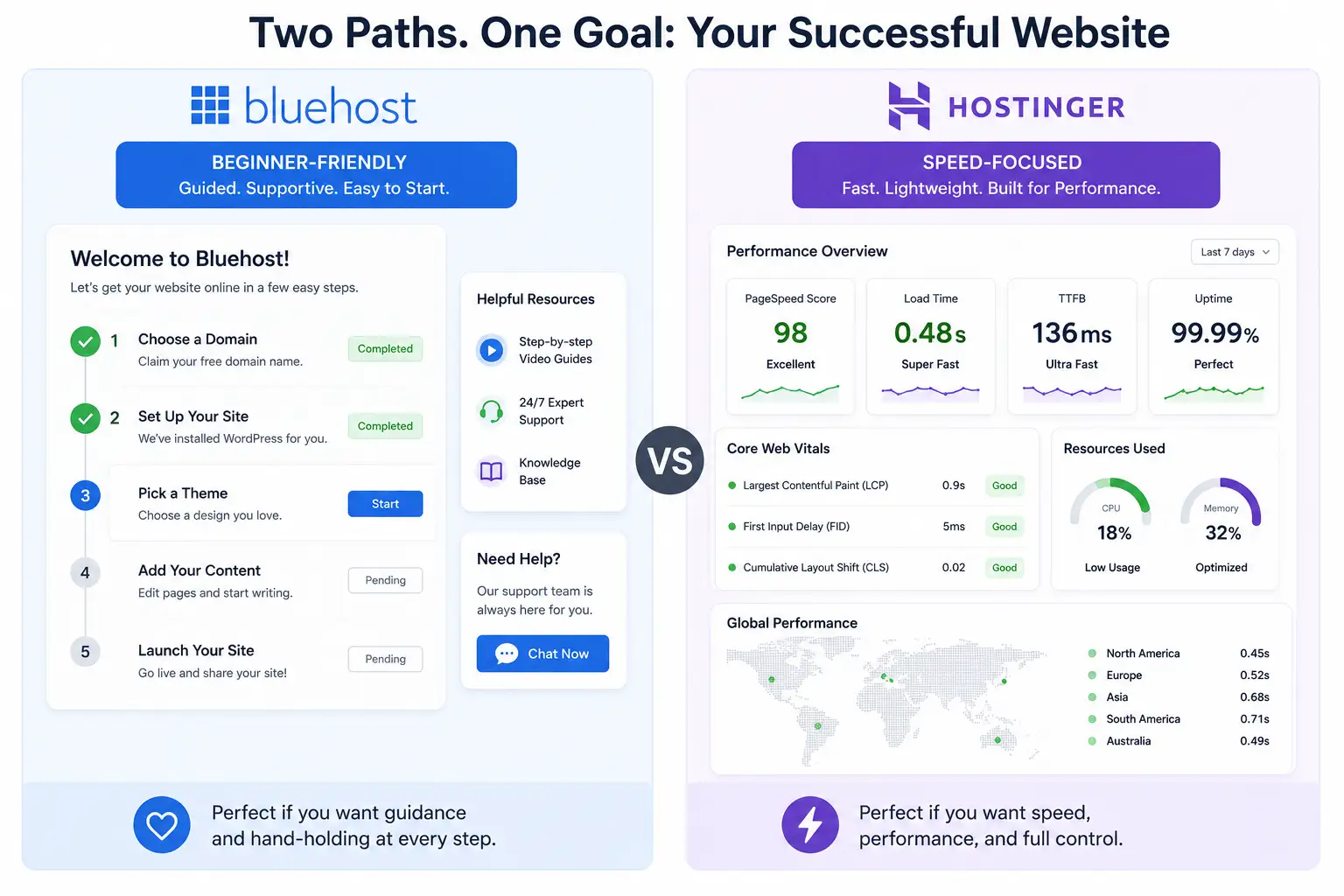
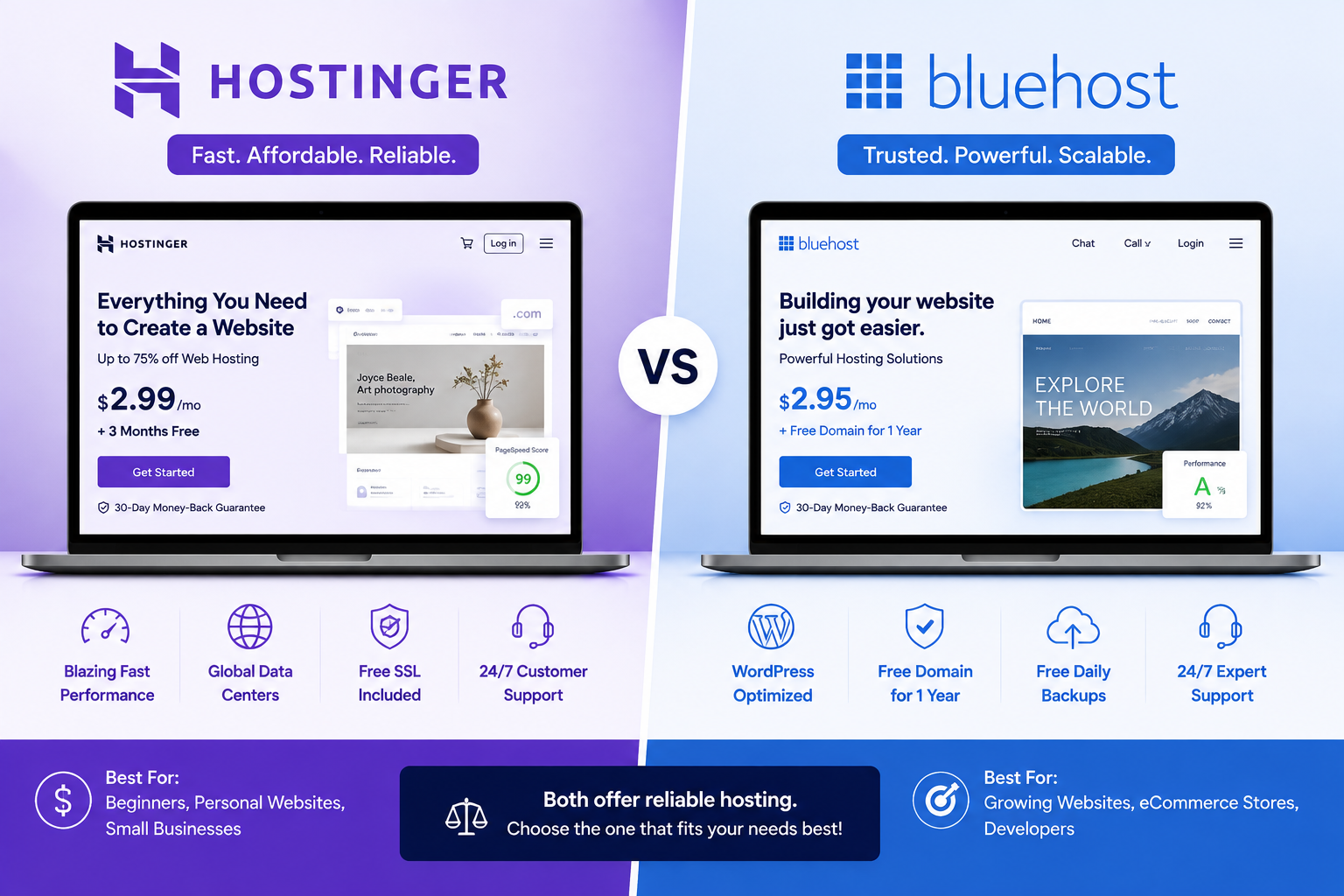
For the majority of bloggers — especially anyone starting out or running a blog as a side project rather than a full-time business — Hostinger consistently comes out ahead on the combination of price and real-world performance in 2026 testing. Its plans run on LiteSpeed Web Server infrastructure across every tier, not just premium ones, which independent speed tests have measured delivering Time to First Byte figures around 180–300 milliseconds — genuinely competitive with hosts charging several times more.
What makes it specifically well-suited to bloggers is that security features, a CDN (from the Business tier up), and daily backups are included by default rather than sold as separate add-ons, and a single entry-level plan can host multiple sites — useful if your one blog eventually becomes several. The main tradeoff is support: Hostinger relies entirely on live chat, with no phone option, which matters if you specifically want to talk through a technical issue rather than type it out.
Best for Complete Beginners Who Want Guided Hand-Holding: Bluehost
Bluehost remains one of the most consistently recommended hosts for brand-new bloggers, and it’s earned that reputation honestly in one specific way: it’s held an official WordPress.org recommendation since 2005, and its onboarding process is genuinely built around walking first-timers through domain connection, WordPress installation, and initial setup with more guidance than most competitors offer.
Its biggest practical advantage over budget alternatives is 24/7 U.S.-based phone support — a real safety net for a beginner blogger who’d rather explain a problem out loud than troubleshoot alone through chat. The tradeoff is performance and price: Bluehost’s shared infrastructure generally tests slower than LiteSpeed-based competitors, and several of its most useful features — automatic backups among them — are reserved for its mid-tier Choice Plus plan rather than included at the entry level.
Best for Bloggers Who’ve Already Started Monetizing Seriously: Managed WordPress Hosting (WP Engine, Cloudways, Kinsta)
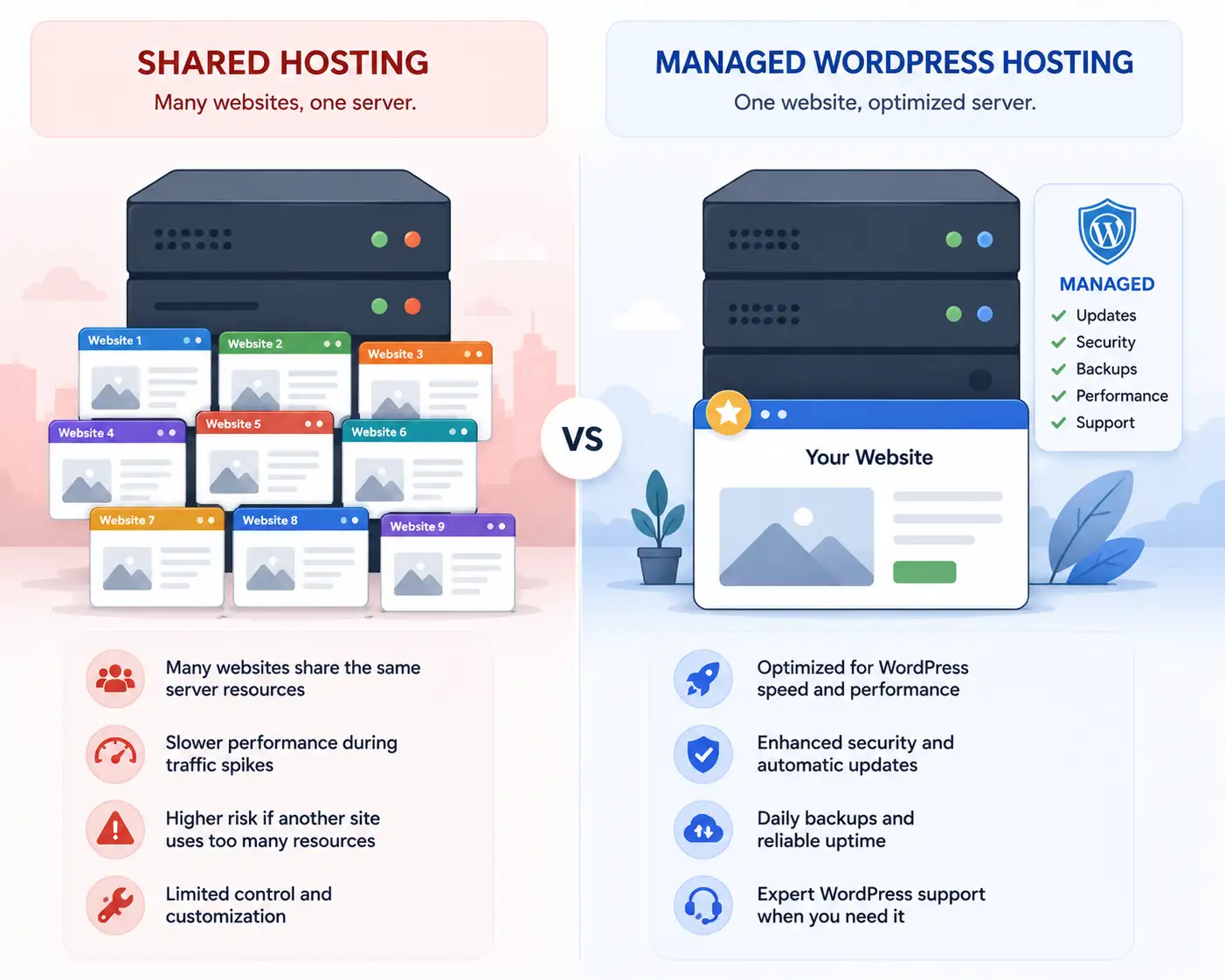
Once a blog starts generating meaningful ad revenue, affiliate income, or product sales, the calculation genuinely changes. At that point, the several-times-higher price of managed WordPress hosting starts paying for itself rather than being an indulgence. These platforms provide dedicated resources instead of shared server space, automatic core and plugin updates, built-in staging environments for testing changes safely, and support staffed specifically by WordPress specialists rather than general hosting agents.
Cloudways in particular has built a reputation among more established bloggers for combining managed cloud infrastructure with one-click staging and genuinely flexible scaling, letting you increase server resources incrementally as traffic grows rather than jumping to an entirely new, more expensive tier. WP Engine, partnered with infrastructure from major cloud providers, leans further into developer-friendly tools and advanced migration support, which suits bloggers who’ve built up enough technical complexity — custom functionality, larger content libraries, higher traffic volumes — that generic shared hosting has become a genuine bottleneck rather than just a budget line item.
The tradeoff is straightforward: entry-level managed WordPress plans commonly start around $20 a month or more, several times the cost of budget shared hosting. For a blog not yet generating revenue, that premium is hard to justify. For one that is, the performance, security, and time savings frequently pay for themselves.
Best Free-Trial Option for Testing Before Committing: DreamHost
If you’re not fully certain blogging is something you’ll stick with long-term, or you simply want to test a host risk-free before committing money, DreamHost’s 97-day money-back guarantee stands out as unusually generous compared to the 30-day windows most competitors offer. It’s also an officially WordPress.org-recommended host, giving it credibility alongside that flexibility. It’s a sensible pick specifically for bloggers who want maximum room to change their mind early on without financial consequence.
The Renewal Price Trap Every Blogger Should Understand
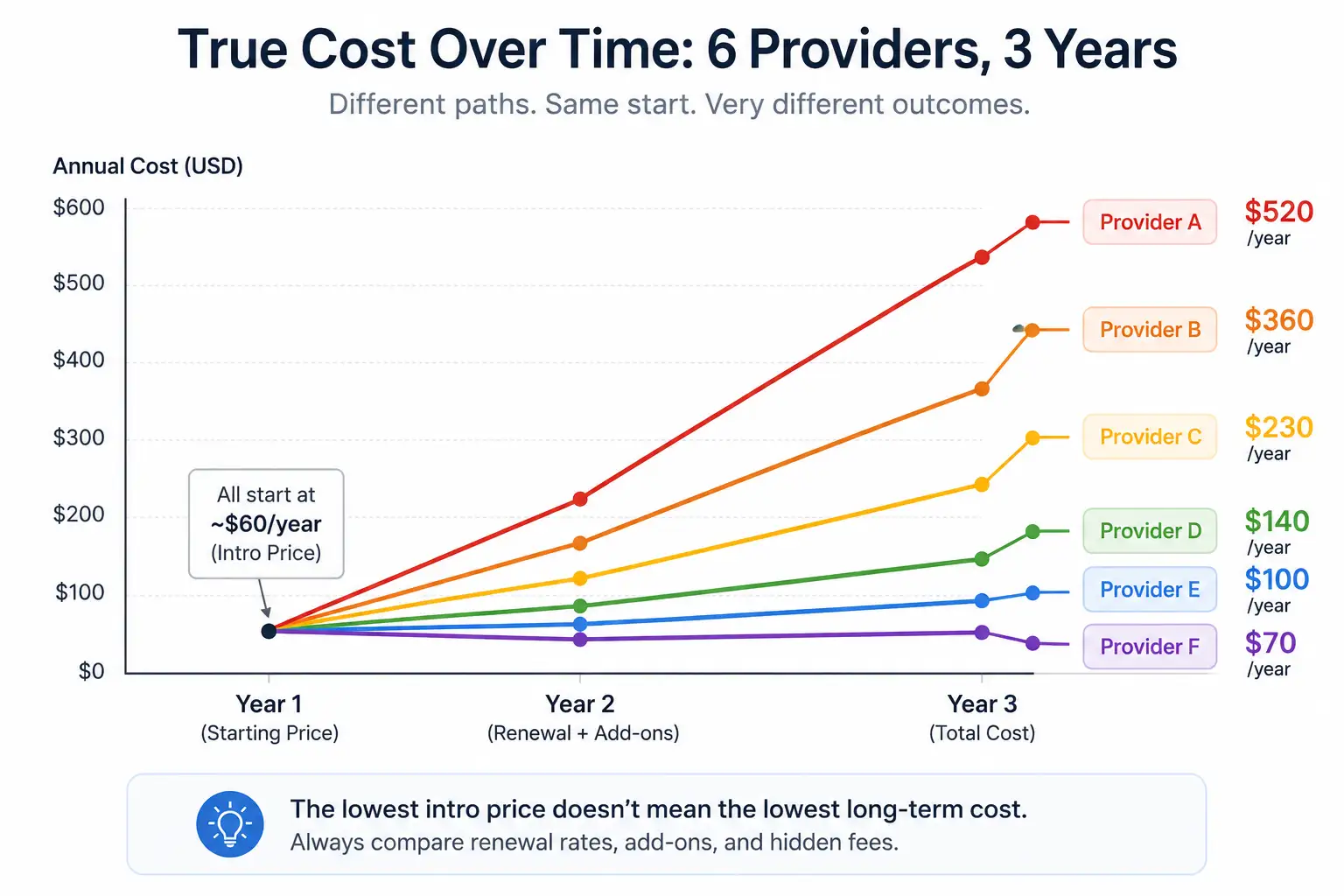
Nearly every host in this comparison follows the same pricing pattern: a steeply discounted introductory rate tied to a long prepaid term, followed by a significantly higher renewal price once that term ends — sometimes doubling or tripling the original monthly figure. This matters more for bloggers than for one-off website projects, since a blog is meant to be a long-term, ongoing commitment, not a one-year purchase.
Before signing up with any host based on its advertised “starting price,” specifically look up the renewal rate on the exact plan page, not just the homepage banner. Budgeting around the renewal price, not the introductory one, prevents an unpleasant surprise a year or two into building an audience you don’t want to disrupt with a rushed migration.
Matching Hosting to Your Blog’s Actual Stage
Rather than chasing a single “best” host, it’s more useful to match your choice to where your blog actually is right now:
- Brand-new blog, no revenue yet, tight budget: Hostinger or a comparable budget shared host — prioritize low cost and decent performance over premium features you won’t fully use yet
- First blog, want extra hand-holding and phone support: Bluehost, accepting a modest performance tradeoff in exchange for guided setup
- Growing blog, 10,000+ monthly visitors, starting to earn: A mid-tier plan with a CDN and daily backups included, or a starter-level Cloudways plan for more headroom
- Established, monetized blog treated as a real business: Managed WordPress hosting (Cloudways, WP Engine, or Kinsta), where the higher price is offset by real performance, security, and time savings
- Uncertain whether you’ll stick with blogging long-term: DreamHost, specifically for its unusually long money-back window
Common Mistakes Bloggers Make When Choosing Hosting
- Choosing based only on the lowest introductory price without checking the renewal rate, then facing a jarring cost increase a year in.
- Overbuying premium hosting before there’s any revenue to justify it. Managed WordPress hosting is genuinely excellent, but paying $20+ a month for a blog with a few hundred monthly visitors is often money better spent on content, design, or promotion at that stage.
- Underestimating storage needs, especially for image-heavy niches like food, travel, or lifestyle blogging, and then scrambling to figure out storage upgrades mid-growth.
- Ignoring the migration path entirely. A host that’s cheap today but painful to leave later effectively locks you in through switching costs rather than genuine satisfaction — check whether a provider offers free migration assistance before you’re stuck needing it.
- Assuming all “WordPress hosting” is the same. As covered above, plenty of hosting labeled “WordPress hosting” is really just shared hosting with WordPress pre-installed, not the dedicated-resource managed experience the name implies — read the actual specifications, not just the marketing label.
Final Thoughts
There’s no single correct answer to “best hosting for bloggers” independent of where your blog actually stands. What matters is being honest about your current stage — traffic level, revenue, technical comfort, and budget — and picking the option that fits that reality rather than either the absolute cheapest plan available or the most feature-rich one you can’t yet use fully. Start appropriately sized for where you are now, but choose a provider with a genuine upgrade path, so that when your blog does grow, moving to more resources doesn’t mean starting the whole hosting decision over from scratch.
RELATED POSTS
View all

Best Cheap Hosting Providers Compared (2026): What “Cheap” Actually Costs
August 2, 2026 | by anisurrahaman235f@gmail.com
Best Hosting for Small Business Websites in 2026
August 2, 2026 | by anisurrahaman235f@gmail.com
Hostinger vs Bluehost: Complete Hosting Comparison (2026)
August 1, 2026 | by anisurrahaman235f@gmail.com